
Practice What I Build at Work: My Personal Logbook

The cobbler's children shouldn't go barefoot. That is the twist I like to give the old saying: applying to my own life the same knowledge and care I bring to my work.
For me, that intention has a concrete form: my personal logbook. A space where I organize information, memories, ideas, and projects, and where I return whenever I need to pick up the thread.
A notebook that can keep growing with you
We used to write in a physical notebook or a yearly planner. When the year ended and we switched planners, part of our story was left behind, scattered across pages we might never open again.
I want to preserve that relationship with writing while giving it continuity: being able to return to an idea, understand a past decision, and add what happens next. Reading my own information like a book I can keep writing.
How it looks day to day
I use Obsidian to navigate this space. The screenshots show its general structure and a graph view of the links between notes. You do not need to replicate everything you see to get started.
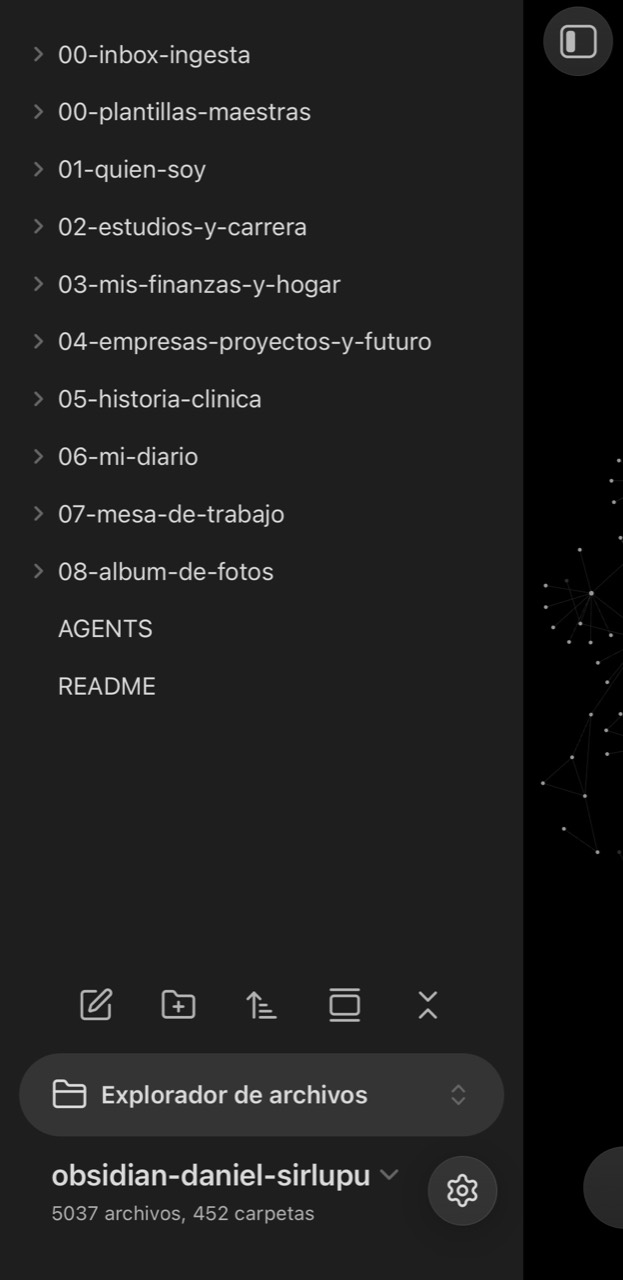
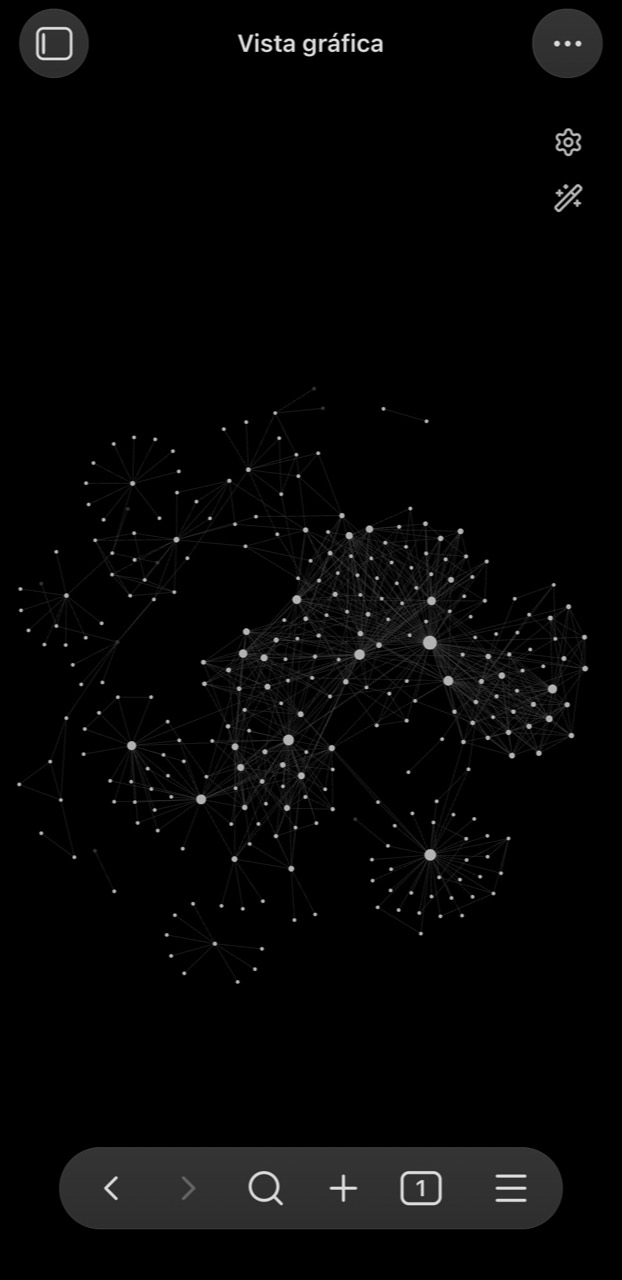
Eight core areas help me find a place for what matters: who I am, education and career, finances and home, projects and future, health history, journal, workspace, and visual memory. The extra folders in my screenshot are supporting layers of my setup; the starter structure I share here focuses on those eight areas.
The graph is simply a way to see relationships. Its real value lies in recovering context and connecting ideas when I need them; having lots of files or links does not by itself mean something is well organized.
Your information can travel with you
I keep my space synced so I can also check it from my phone. Having it at hand makes it easy to revisit a note when an idea comes up, log something important, or look up information without waiting to sit at a computer.
The notes are plain Markdown files: text that can be read and edited with many different tools. Obsidian is how I browse them, but I can keep the files and open them with any compatible app. Both the structure and the information can stay with me even if my tools change.
Syncing should be configured according to your devices and chosen service. I also recommend keeping an independent backup: syncing propagates changes across devices, but it does not replace a backup to recover something deleted by mistake.
A starting point for your own logbook
If you would like to bring this way of organizing into your own life, here is a simple starter structure. You can adapt it to what you need and let it grow over time. Copy the prompt and use it with an assistant: a short interview will guide it to create a main folder, eight areas, and one Markdown file in each. If it cannot access your computer, it should walk you through creating them.
You do not need to dump your entire life story at once. Start with something you want to find, remember, or organize better. This resource is a simple introduction; my full system includes ongoing adaptation and maintenance beyond creating the initial folders.
I want to create a simple space on my computer to organize my life. I want to start with a lightweight structure I can expand and adapt gradually: my own personal logbook.
Ask me these questions, one at a time, and wait for my answer:
1. What would I like to name this space?
2. What would I like to find, remember, or organize better?
3. Which areas of my life need the most attention right now?
4. Where do I want to save the main folder?With my answers, create one main folder there and these eight folders inside it, with no subfolders:
01-who-i-am
02-studies-and-career
03-finances-and-home
04-ventures-projects-and-future
05-health-history
06-my-journal
07-workbench
08-photo-albumInside EACH of the eight folders, create a 00-start-here.md file with a brief welcome, what that area is for, and three simple starter questions. Personalize it only with what I have shared and leave the rest open to fill in later.
Create a README.md in the main folder, like a book index, with relative links to the eight notes and a simple guide on how to use them.
Do not overwrite existing files. Do not ask me for documents, passwords, or sensitive data. Do not invent information or add complex systems. If you cannot create files on my computer, tell me and offer a simple alternative to create them myself.
When finished, help me write my first entry in whichever area I choose and find a realistic cadence to revisit it. Explain how to open and edit these files using Markdown-compatible tools.
Ask what computer and phone I use before guiding me on keeping a synced copy. Also explain how to maintain an independent backup. Do not configure accounts or syncing automatically.
The logbook starts when you return to it
Creating the space is just the beginning. What gives it value is coming back: writing a note, completing a memory, updating a decision, or finding something you no longer need to rebuild from scratch.
If you find your own way to keep it alive, this starting point will have served its purpose. If continuity feels hard, you may simply need a different structure, another cadence, or support deciding where to begin.
Starting can be simple. Sustaining it comes from finding a shape that fits your life.
If you tried this approach and would like to organize your information, pull scattered notes together, or find a sustainable rhythm in your day-to-day, let's talk.